Fraction Models Worksheet Generator

Example ready: change it or print it as it is.

Teacher guide ↓

Teaching Guide: Understanding Fractions from Grade 3 to Grade 6

Before pupils calculate with fractions they need to know what a fraction means: a whole split into equal parts, some of which are taken. This free fraction worksheet generator makes A4 worksheets with bars, circles, grids and sets of objects to read, shade, name and compare fractions, up to improper fractions and mixed numbers, with answer keys. Then move on to equivalent fractions and fraction operations.

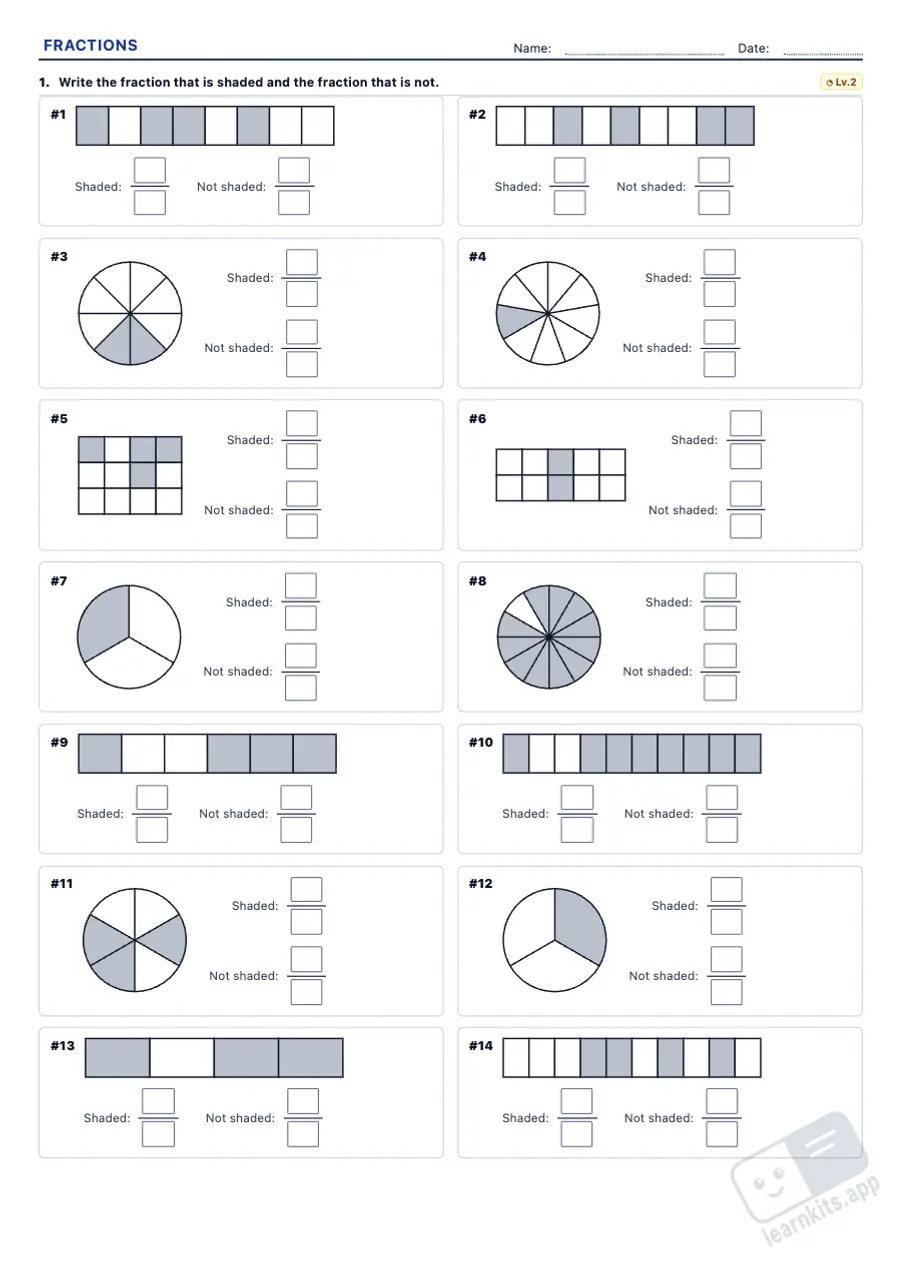
Fraction Models Worksheet Generator: sample printable A4 worksheet, first page of the student sheet Student worksheet
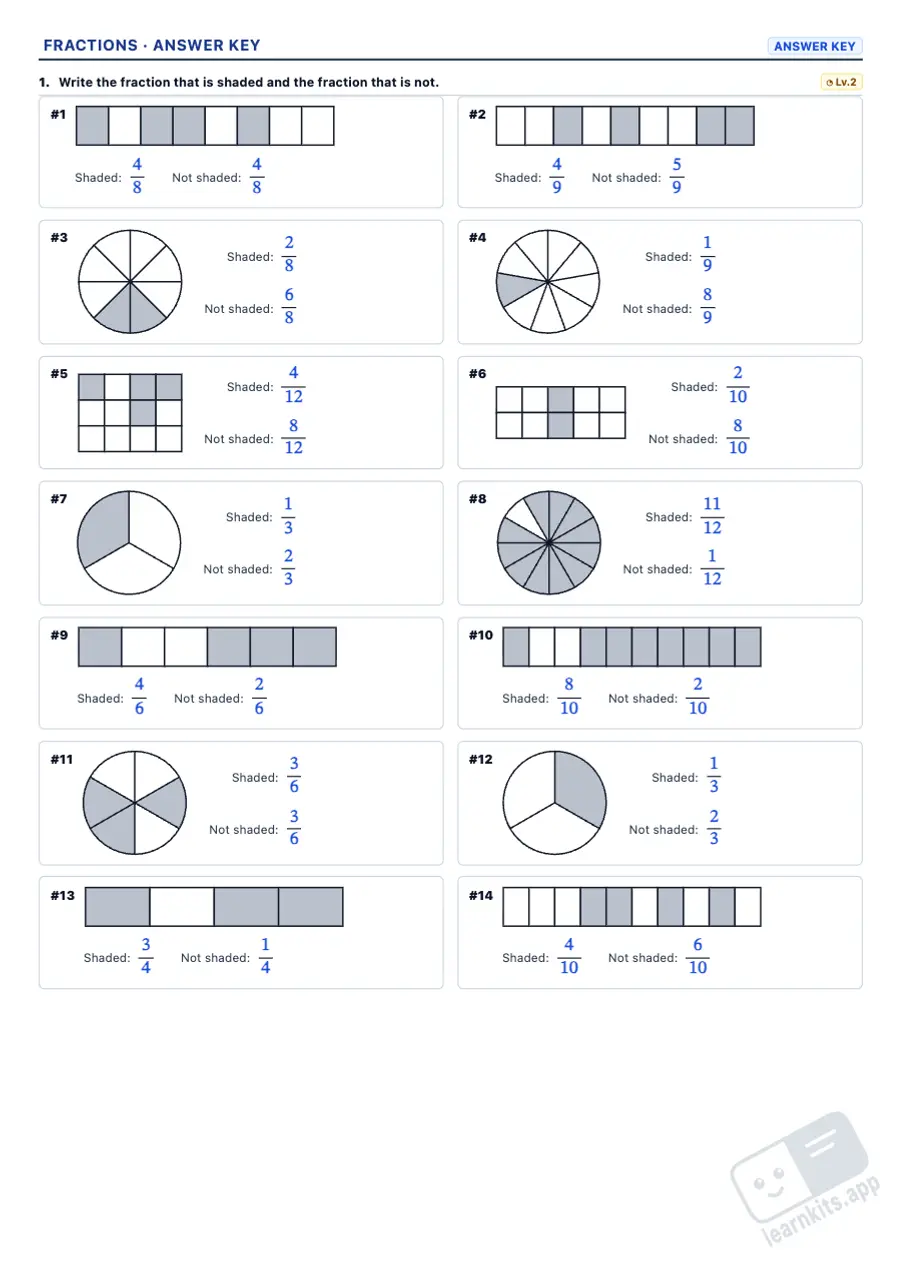
Fraction Models Worksheet Generator: sample answer key of the same worksheet, first page Answer key
Sample made with LearnKits. Every worksheet is new: choose the topic, level and amount and print it for free.

Write the fraction

Bars, circles and grids split into equal parts: the denominator is how many parts the whole has and the numerator how many are shaded. Level 2 also asks for the part not shaded, and level 3 uses several wholes, with the improper fraction and the mixed number.
Shade the fraction

The fraction is given in numbers, in words or as a mixed number, and pupils shade it. At level 3 there is one shape to spare, so they decide where to stop.

Fractions of a set

What fraction of a group of objects is shaded, equal groups to find 2/3 of 12 and, in Grades 5–6, fractions of amounts: divide by the denominator and multiply by the numerator.

Abc Fractions in words

One half, two thirds, three quarters, five twelfths: from numbers to words and back, and at level 3 improper fractions and mixed numbers (two and a third).

< > Compare with pictures

Two equal shapes to see which fraction is larger: with the same denominator, with the same numerator and, at level 3, shading them first.

Answer key

Every worksheet has its answer key: the shading in colour, the fractions, their names, the steps of each fraction of an amount and the sign of every comparison. The pictures are black and white and print well on any printer.

Frequently Asked Questions about the Fraction Worksheets

What is a fraction?
A fraction shows equal parts of a whole. The denominator (bottom number) says how many equal parts the whole is split into and the numerator (top number) how many of them are taken. In 3/4 the whole is split into 4 equal parts and 3 are taken.
How do you write fractions in words?
Say the numerator, then the name of the denominator: halves (2), thirds (3), quarters (4), then fifths, sixths, sevenths, eighths, ninths, tenths, elevenths and twelfths. So 5/12 is five twelfths and 1/2 is one half; a mixed number such as 2 1/3 is two and a third.
Why use pictures to learn fractions?
Because a fraction is always a part of something. Bars, circles and grids show that the parts must be equal; sets of objects show that a fraction can be of a group too (2/3 of 12 children). Pictures show why 1/3 is larger than 1/5 before pupils learn any rule.
What are improper fractions and mixed numbers?
A fraction is improper when its numerator is larger than its denominator: it is more than one whole. 7/4 is seven quarters: one whole (4/4) and three more quarters, which is the mixed number 1 3/4 (one and three quarters).
How do you find a fraction of an amount?
Divide the amount by the denominator, then multiply by the numerator. For example, 3/4 of 20: 20 ÷ 4 = 5 and 5 × 3 = 15. Level 2 does it with objects shared into equal groups, and level 3 with the numbers only.
Which grades are they for?
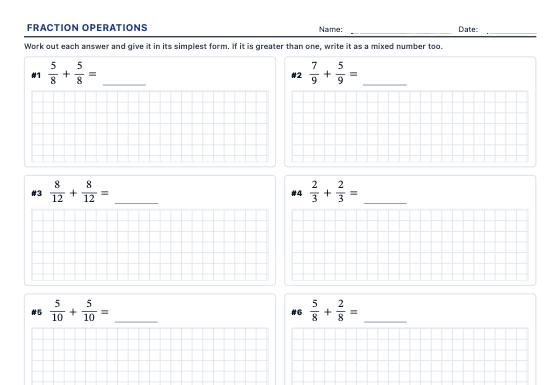
Level 1 is for Grade 3, level 2 for Grade 4 and level 3 for Grades 5–6. Once pupils know what a fraction means, carry on with Equivalent Fractions Worksheet Generator, Fraction Operations Worksheet Generator and Percentage Worksheet Generator, or browse Mathematics.
Can I mix several types of exercise on one worksheet?
Yes. Add as many exercises as you like of each type and level, then drag them, move them or split them with a page break. The answer key is made at the same time.
Is any data sent to a server?
No. The worksheet is made in your browser and templates are saved only in your browser’s memory.