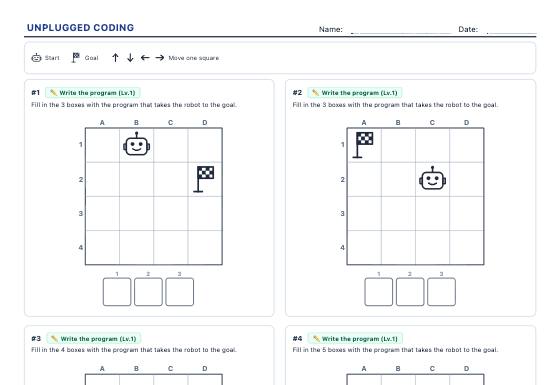
Unplugged Coding
Screen-free coding challenges: write the arrow code that takes the robot to the goal, run a given program or find the bug, with loops at higher levels.
Printable technology worksheets: screen-free coding challenges for elementary school, technical drawing views and isometric parts, and electrical circuits with Ohm’s law, all with an answer key.
Screen-free coding challenges: write the arrow code that takes the robot to the goal, run a given program or find the bug, with loops at higher levels.
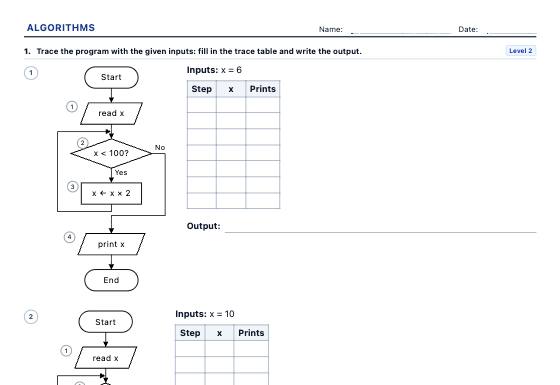
Computational thinking worksheets: trace a flowchart or pseudocode with a trace table, complete the missing step, find the bug, put the steps in order and draw the flowchart, with sequence, selection and loops in three levels and an answer key.
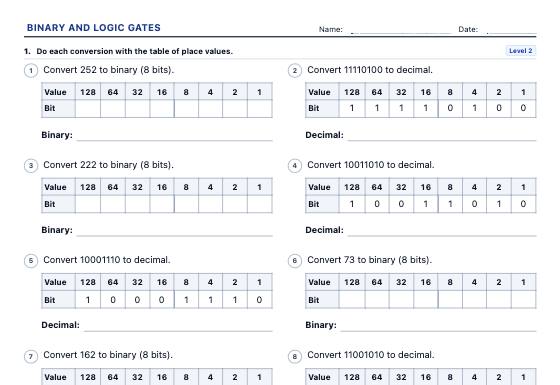
Data representation worksheets: binary, decimal and hexadecimal, bits and bytes, pixel pictures to encode and decode, and AND, OR, NOT, NAND, NOR and XOR logic gates with truth tables and circuits, in three levels with an answer key.
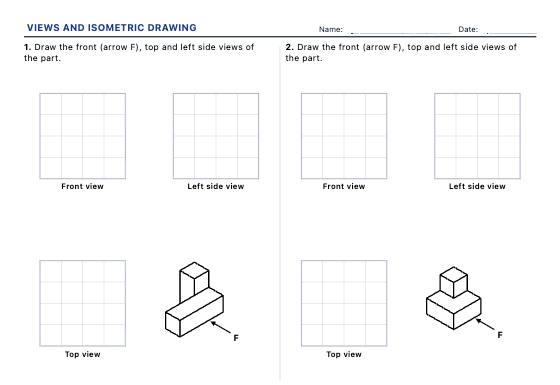
Always-new parts made of cubes to draw the front, top and side views, draw the isometric from the views or identify each view, with hidden edges at higher levels.
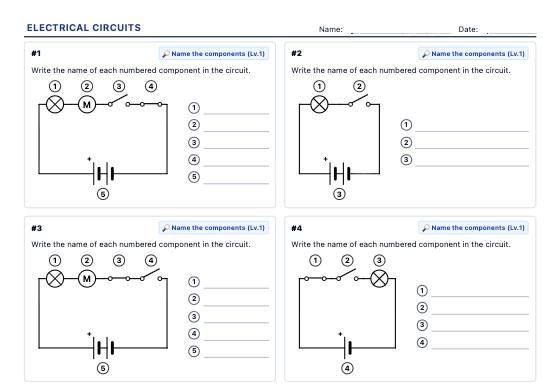
Always-new, properly solved circuits with standard symbols: name the components, predict which bulbs light up, tell series from parallel, draw diagrams and work through Ohm's law step by step.
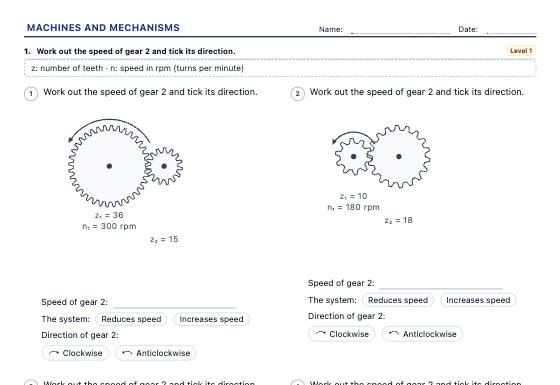
Simple machines and drive systems worksheets: classes of lever and the law of the lever, gears and gear trains, pulleys and belts, a bicycle's chainring and sprocket, pulleys, block and tackle and the inclined plane, with drawn schematics, in three levels with an answer key.
Technology lessons ask students to think in steps, to see objects from several sides and to understand how electricity flows. All three can be practised on paper. Coding without a screen teaches sequences, loops and debugging before children ever touch a keyboard. Technical drawing trains the eye to move between a solid and its views. Circuit diagrams with standard symbols show why bulbs light up or not. Each of these kits makes a new problem every time and solves it properly, so the answer key is always right. Print the sheet or save it as a PDF.
With unplugged coding worksheets, children write the arrow code that takes a robot to its goal, run a program someone else wrote or find the bug in it. Higher levels add loops, a first taste of how programs repeat steps.
Pieces built from cubes are always new on technical drawing views worksheets. Students draw the front, top and side views, draw the isometric from three views or identify each view, with hidden edges at higher levels and a choice of first-angle or third-angle projection.
The electrical circuit worksheets use standard symbols to name components, predict which bulbs light up, tell series from parallel and work through Ohm’s law step by step. Every circuit is solved properly, including open switches and short circuits.
Coding sheets work well as a warm-up before a robotics or programming session. Technical drawing sheets can be done with isometric paper and a set square, and a circuit sheet before building a real circuit helps students predict first and check after.