Class timetable
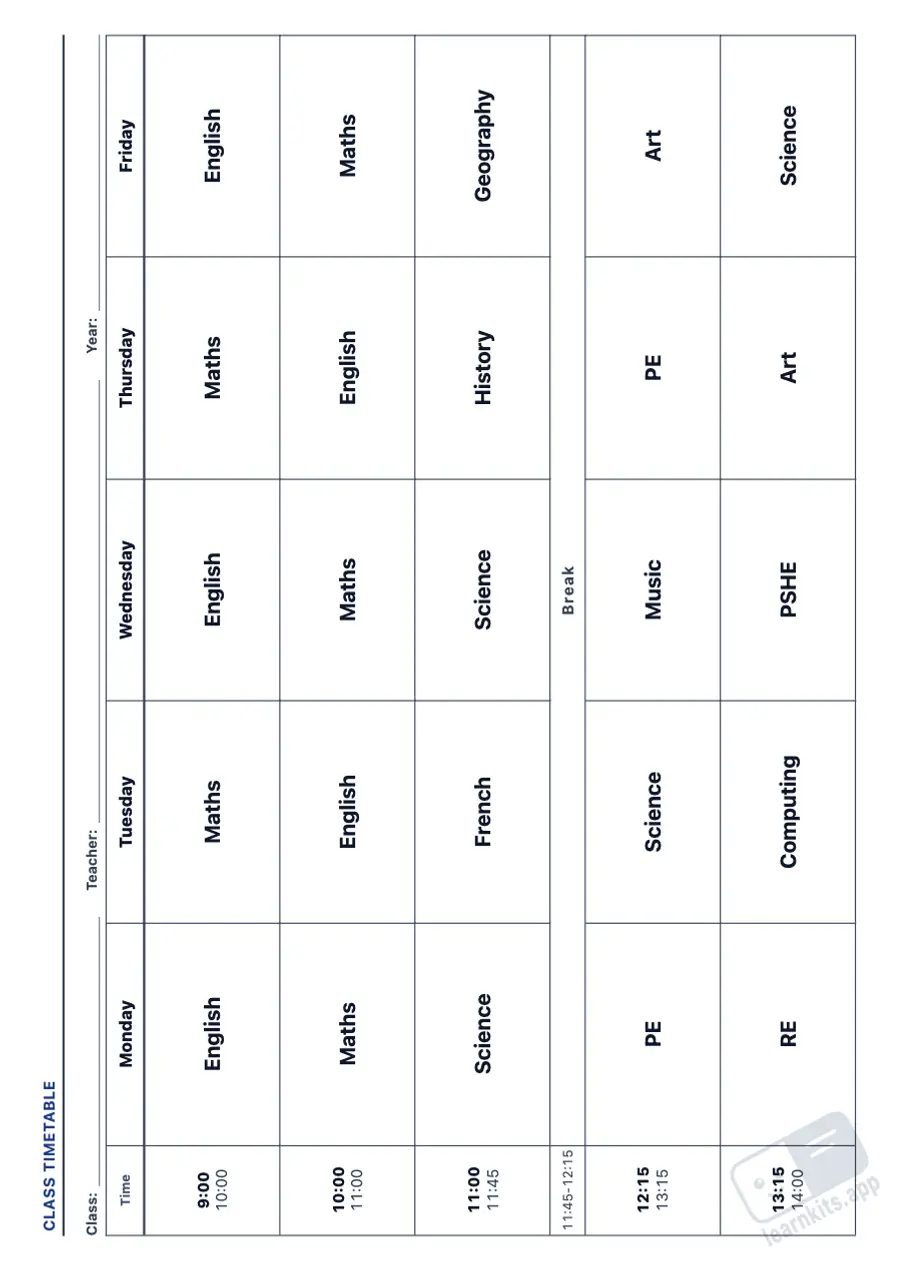
The week on a landscape grid: times on the left, one day per column and breaks running across. The lettering fits each box, so long subject names still fit.
A clear timetable organises the week for the class and for families, and a plan in front of you makes lessons easier to prepare. This free class timetable generator makes A4 sheets from one timetable you edit in the wizard: the times, each day's subjects and the breaks. From the same timetable you print the classroom version, a blank one for pupils, a visual timetable for the early years and your weekly or daily lesson planner.
 Student worksheet
 The week on a landscape grid: times on the left, one day per column and breaks running across. The lettering fits each box, so long subject names still fit.
The same times with empty boxes, for pupils to copy their timetable at the start of the year or when it changes. Print it without times for them to write those too.
Each session has a frame to draw or stick the picture symbol of the activity, with its name underneath. Useful in the early years and for pupils who need to know what comes next.
Every session of the week with its subject and lines to plan it, plus two boxes at the foot for the week's objectives and reminders.
One sheet per day with the sessions in rows and columns for objectives, activities, resources and notes, and a box for things to do.
Monday to Friday, to Saturday or the whole week, up to ten sessions and as many breaks as you have, with the class, teacher and school year printed on the sheet.
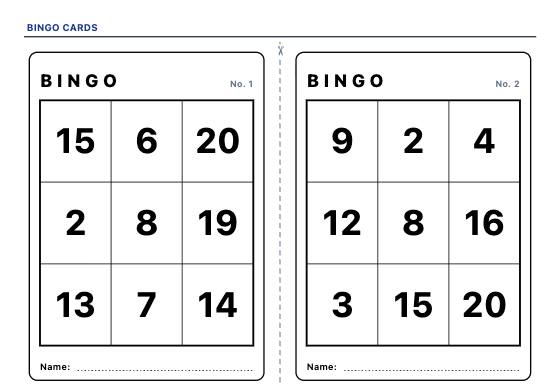
Printable bingo cards, every one different: call the calculation and find the answer on the card, or the number, the word and the picture. With a checklist and call slips to cut out.
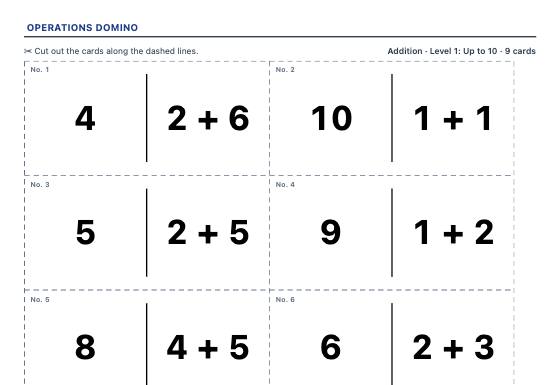
Cut-out domino cards that form one closed chain: every calculation has its answer on another card. No ambiguity, with the solution for the teacher.
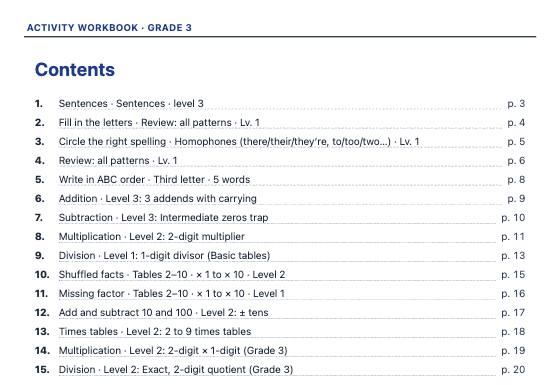
Combine worksheets from several generators into one A4 workbook per school year, ideal for the summer: a cover with the pupil's name, contents, numbered pages and the whole answer key at the end.