Trace the program
A trace table with the value of every variable after each step, and the output.
Computational thinking can be learnt away from the computer: following an algorithm step by step, predicting what it will print, finding its bug and putting its instructions in order. These are the tasks of PISA 2025’s Learning in the Digital World and of the computing curriculum. This free generator makes flowchart and pseudocode worksheets with programs the generator runs, so every answer and trace table in the answer key is right.
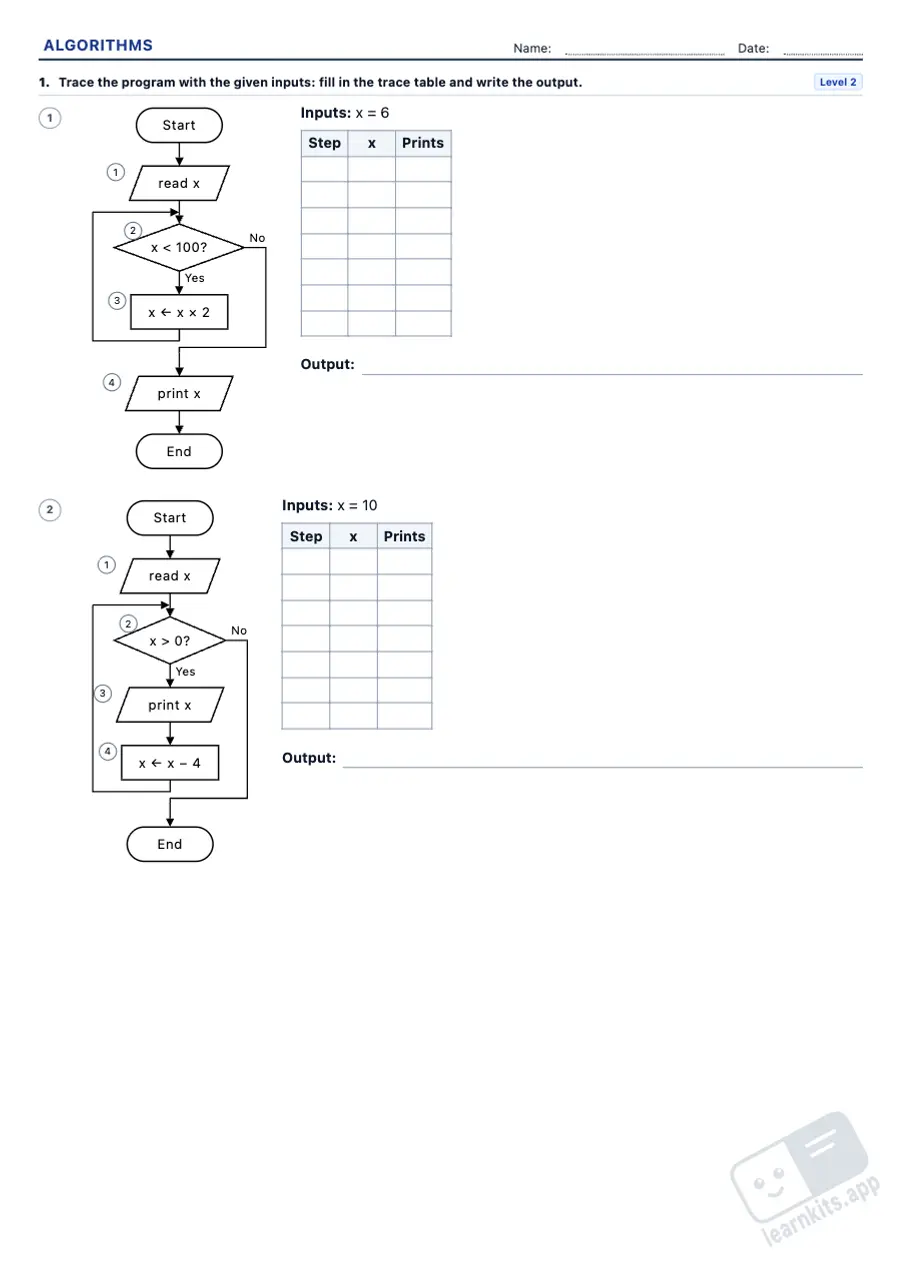 Student worksheet
 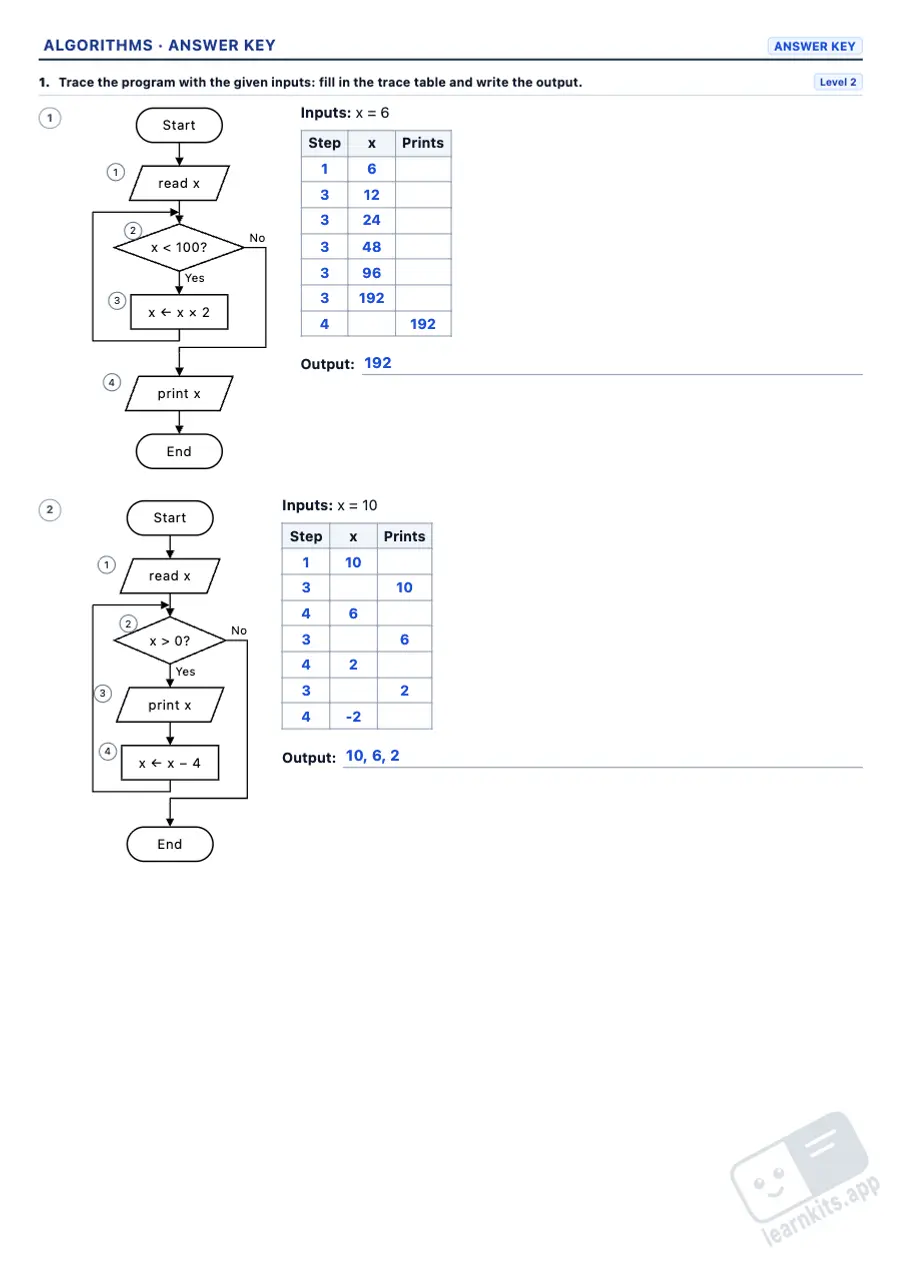 Answer key
 A trace table with the value of every variable after each step, and the output.
Three options for the missing step: only one gives the output.
The program prints the wrong thing: find the wrong step and fix it.
Jumbled instructions that only give the output in one order.
From pseudocode to a flowchart, with the right flowchart in the answer key.
Every exercise prints as a flowchart or as pseudocode with English keywords.
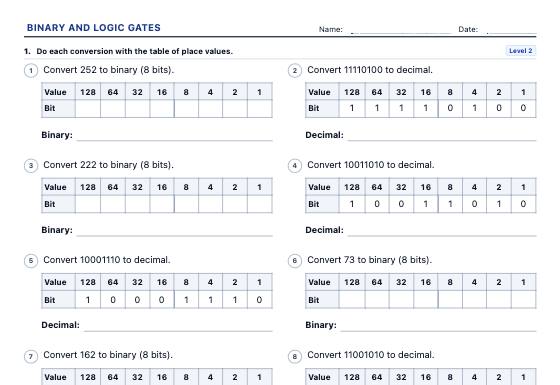
Data representation worksheets: binary, decimal and hexadecimal, bits and bytes, pixel pictures to encode and decode, and AND, OR, NOT, NAND, NOR and XOR logic gates with truth tables and circuits, in three levels with an answer key.
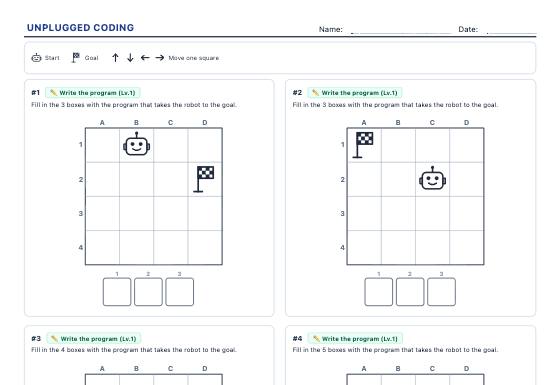
Screen-free coding challenges: write the arrow code that takes the robot to the goal, run a given program or find the bug, with loops at higher levels.
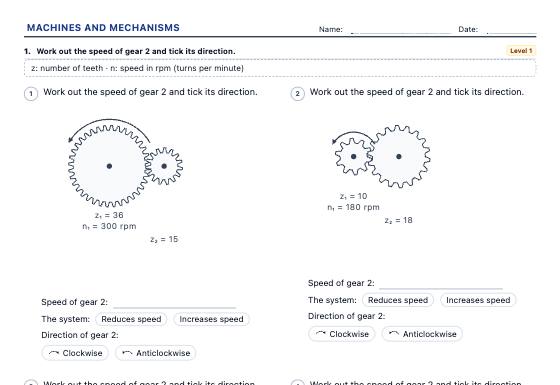
Simple machines and drive systems worksheets: classes of lever and the law of the lever, gears and gear trains, pulleys and belts, a bicycle's chainring and sprocket, pulleys, block and tackle and the inclined plane, with drawn schematics, in three levels with an answer key.